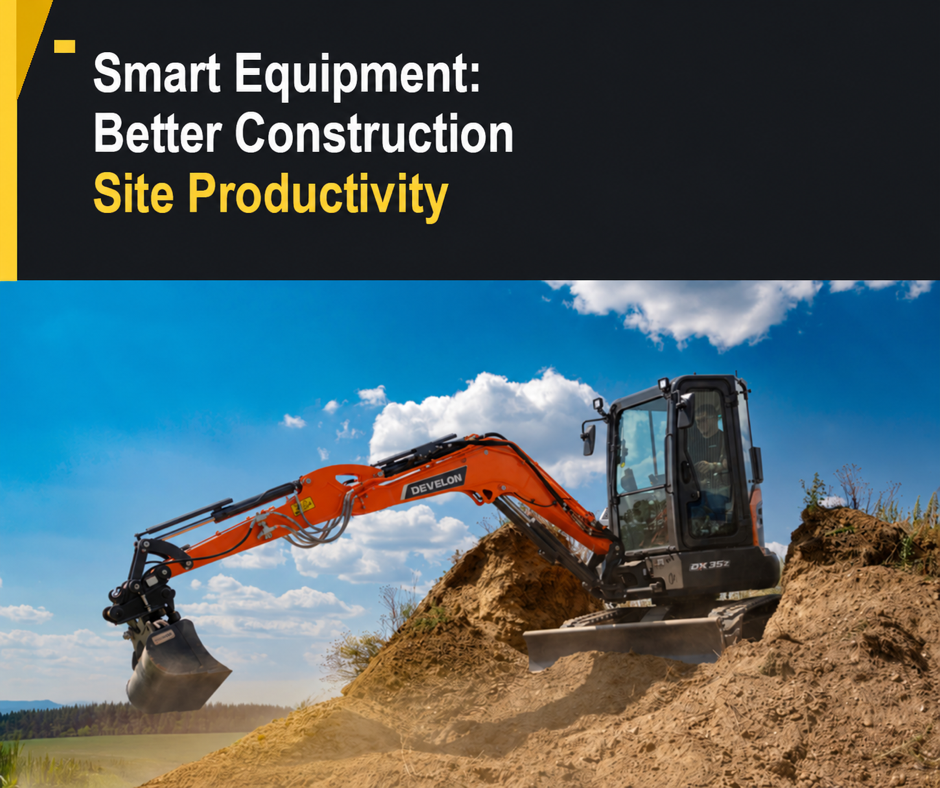
Smart construction equipment can improve site productivity when its technology helps solve a real problem: unnecessary idling, repeat passes, poorly timed servicing or a machine that spends too long waiting for its next task.
At Kellands Plant Sales, we believe the starting point is your work. An excavator, loader or telehandler needs the right capacity, reach and attachments before any digital feature can add value. The useful question is: which features will help your team complete the job more consistently?
Here is our practical guide to choosing equipment and technology that earns its place in your working day.
Start with your site’s biggest bottleneck
Before comparing machines, look at where time is being lost. A busy groundworks site may need more accurate excavation. A material handling operation may need better visibility and a smoother loading cycle. A fleet working across several projects may need clearer information about machine use.
Consider:
- The task: digging, grading, loading, lifting or moving materials.
- The site: access width, ground conditions, working space and delivery routes.
- The workload: typical hours, material volumes and how often attachments change.
- The team: operator experience, familiarisation needs and who will review machine information.
A well-matched machine is the foundation. Technology should build on that choice, with benefits you can explain and measure.
Turn telematics information into useful fleet decisions
Telematics connects machine information with a digital platform. Depending on the equipment and service, it can help you understand location, utilisation, fuel use and maintenance requirements.
My Develon, for example, brings together equipment information and digital services, including maintenance reminders, defect notifications and reporting. Available services vary by machine and region.
The value comes from acting on the information. If a machine is lightly used on one project while another site is waiting for equipment, review its allocation. If fuel use rises, compare the workload and operating pattern before drawing conclusions. If a service is approaching, arrange it around the programme.
Dealer tip: nominate someone to review the information regularly. A short weekly check with a clear action list can be more useful than a dashboard nobody opens.
Use machine guidance where accuracy matters
Machine guidance gives operators information about the position of the digging equipment relative to a target. It can help them work towards the required depth or slope with greater consistency. Machine control goes further by assisting specified movements.
These features are model-specific. The Develon DX225LC-7X, for example, has integrated 2D guidance and machine control as standard. A compatible Leica MC1 3D guidance upgrade is also available for this model.
For suitable earthworks, guidance can help reduce unnecessary passes and corrections. Its success still depends on correct setup, calibration, project information and operator familiarisation. It does not replace checking the work.
Discuss your typical jobs with your dealer before choosing a system. A straightforward depth-and-slope task has different requirements from a project using a full 3D design.
Make loading and material handling more efficient
Good productivity is often about making each movement count. Visibility, hydraulic response, attachment suitability and the route between the stockpile and the loading point all affect the working cycle.
Develon’s Transparent Bucket system uses camera views to help wheel-loader operators see areas obscured by the bucket. On suitably equipped machines, weighing systems can also support loading targets and production records.
These are useful aids, but they sit alongside practical choices:
- Match the bucket or attachment to the material and machine.
- Check hydraulic requirements, coupling compatibility and rated capacity.
- Plan a clear loading route and suitable space for manoeuvring.
- Keep cameras, mirrors and cab glazing clean.
Onboard weighing does not replace compliance with payload limits or any required legal weighing procedure. Visibility aids also support, rather than replace, safe operating practices.
Help operators get the most from the machine
Clear displays, accessible controls and a comfortable cab matter because operators use them throughout the shift. When comparing equipment, check how easily the operator can select working modes, recognise warnings and adjust settings for the task.
Allow time for a proper handover. Operators should understand the controls, daily checks, attachment procedures and limitations of any assistance systems before work begins.
Dealer tip: bring the people who will operate and maintain the machine into the buying discussion. Their questions can reveal requirements that a specification sheet alone will miss.
Keep servicing part of the productivity plan
Digital alerts are useful when they lead to timely action. Combine them with daily checks, the manufacturer’s service schedule and a clear process for reporting faults.
When contacting the service team, provide the machine model, serial number, operating hours, displayed fault information and a description of what happened. Useful information helps the team assess the next step; a notification is not a complete diagnosis.
Kellands provides service support and parts support. Planning maintenance and discussing parts requirements early can help you organise work around the machine’s needs.
Questions to ask before buying smart construction equipment
Use this checklist when discussing your next machine:
- What problem will the feature solve? Identify the delay or task you want to improve.
- What is included? Confirm standard equipment, optional systems and retrofit compatibility.
- What does it need to work? Ask about connectivity, installation, calibration and project data.
- What are the ongoing costs? Check digital service subscriptions, licences and maintenance requirements.
- Who will use it? Agree operator familiarisation and responsibility for reviewing fleet information.
- How will you judge the result? Compare useful output, fuel consumed, corrections and downtime on similar work.
Consider the whole ownership picture, including purchase price, running costs, servicing, attachments and support. Productivity gains will depend on the application and how the equipment is used.
Talk to Kellands about the right equipment for your work
Whether you are replacing an excavator, adding a loader or reviewing your fleet, tell us about your sites, workload and current challenges. We can discuss the new equipment range, suitable specifications and support requirements with you.
Call Kellands Plant Sales on 01278 411542, email sales@kellands.com or contact our team to discuss your next machine.
Features, connectivity and digital services depend on the machine, specification and location. Speak to Kellands to confirm availability, compatibility and associated costs.
Inspired by the industry discussion in Construction Briefing’s article on smart equipment and productivity. This guide offers Kellands’ dealer perspective, with equipment examples checked against the manufacturer resources linked above.